The Power-user Resource Kit is a free 6-page PDF guide that gathers everything your teams need to get started with Power-user and master it: installation, learning path, key features, admin and IT resources, help and contacts. Share it on your intranet or shared drive so that every user knows where to find information.
In short
- What: a 6-page PDF guide, with all links clickable
- For whom: users, team leaders, admins and IT teams
- How to use it: share it on your intranet, shared drive or in your onboarding emails
- Download: Power-user Resource Kit (PDF)
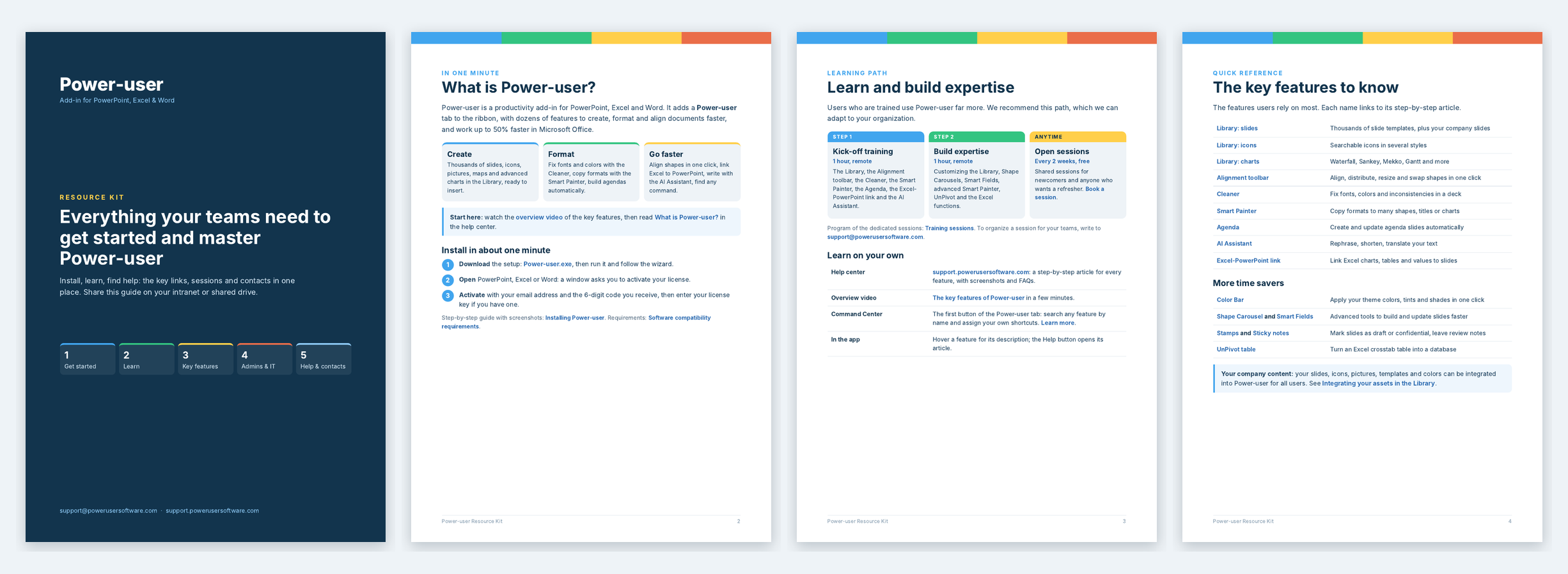
Pages of the Power-user Resource Kit: cover, what is Power-user, learning path and key features
In this article
What is in the Resource Kit
| Section | What you find |
|---|---|
| 1. Get started | What Power-user is, the overview video, and how to install and activate Power-user in about one minute |
| 2. Learn | The learning path: kick-off training, build expertise session, free open sessions every 2 weeks, and how to learn on your own |
| 3. Key features | The features users rely on most, each linked to its step-by-step article |
| 4. Admins and IT | How to roll out the licenses, the admin portal, themes, company assets and technical documentation |
| 5. Help and contacts | How to reach support, the most common issues and how to get a faster answer |
How to share the kit in your organization
Sharing the right information when you deploy Power-user increases adoption and saves your users time. For example:
- On your intranet: publish the PDF on the page that presents your tools, or link to it.
- On a shared drive: save it in a folder that all users can access.
- In your roll-out email: attach it to the email that delivers the licenses. See Rolling-out Power-user.
- In your onboarding: add it to the welcome pack of new employees.
Key links at a glance
| Need | Link |
|---|---|
| Install Power-user | Installing Power-user |
| Discover the features | What is Power-user? |
| Get trained | Training sessions and open sessions |
| Roll out the licenses | Rolling-out Power-user |
| Integrate your company content | Integrating your assets in the Library |
| Find help | Help center, support ticket or support@powerusersoftware.com |
Frequently asked questions about the Resource Kit
Is the Power-user Resource Kit free?
Yes. The Power-user Resource Kit is a free PDF that any organization can download and share with its users.
Can I share the Resource Kit with all our employees?
Yes. The Power-user Resource Kit is made to be shared on your intranet, a shared drive or in your roll-out and onboarding emails.
What does the Power-user Resource Kit contain?
It contains how to install Power-user, the recommended learning path, the key features with links to their articles, the resources for admins and IT teams, and the support contacts.
Who should I contact for help with Power-user?
Write to support@powerusersoftware.com, open a ticket on the Power-user help center, or search the help center for a step-by-step article.
Was this article helpful?
That’s Great!
Thank you for your feedback
Sorry! We couldn't be helpful
Thank you for your feedback
Feedback sent
We appreciate your effort and will try to fix the article